CURATED / Portrait & Character
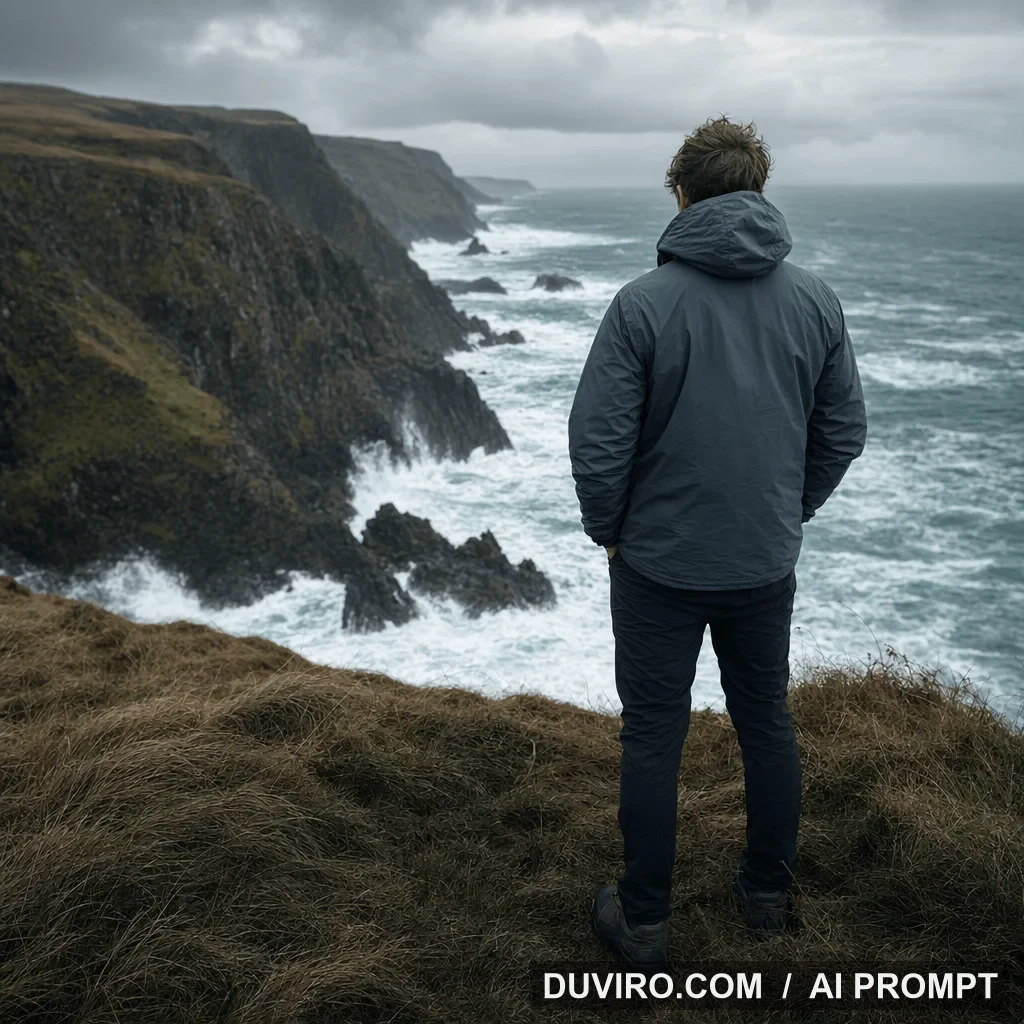
Cliffside Adventure Brand Portrait
A windswept coastal portrait recipe for outdoor and adventure brand campaigns.
Duviro AI reproductions
Independently generated from the rewritten template, without a watermark.

PROMPT WORKSHOP
How to build the Cliffside Adventure Brand Portrait prompt
Do not begin with one dense block. Confirm the visual goal, then add subject, composition, light, and constraints one layer at a time.
Base prompt
Cliffside Adventure Brand Portrait. A windswept coastal portrait for outdoor and adventure brand campaigns. 1:1 composition.
Iteration
Define the result
What changes: Keep only the visual goal, use case, and aspect ratio.
Why: A short baseline reveals whether the model understands the core request.
Cliffside Adventure Brand Portrait. A windswept coastal portrait for outdoor and adventure brand campaigns. 1:1 composition.
Iteration
Lock the subject
What changes: Add the subject, action, and scene relationship.
Why: A concrete subject prevents the rest of the style language from taking over.
Intent: adventure brand campaign image. Background: dramatic coastal cliffs with crashing waves. Foreground: wind-swept grasses on the cliff edge. Hero subject: one person in a windbreaker, facing the ocean, steady stance. Finishing details: hyper realistic, crisp fabric texture, no logos or trademarks, no watermark. Camera: 35mm, eye-level, slightly wide framing.
Iteration
Control composition and light
What changes: Specify camera position, placement, and light direction.
Why: These controls establish hierarchy, depth, and material response.
Intent: adventure brand campaign image. Background: dramatic coastal cliffs with crashing waves. Foreground: wind-swept grasses on the cliff edge. Hero subject: one person in a windbreaker, facing the ocean, steady stance. Finishing details: hyper realistic, crisp fabric texture, no logos or trademarks, no watermark. Camera: 35mm, eye-level, slightly wide framing. Keep the camera position, subject placement, and light direction explicit and consistent.
Iteration
Constrain common failures
What changes: Add focused negative constraints: garbled text, extra text, logo, watermark, broken composition, malformed subject, unrealistic materials, oversharpening, low resolution.
Why: Constraints work best after the positive visual target is already clear.
Intent: adventure brand campaign image. Background: dramatic coastal cliffs with crashing waves. Foreground: wind-swept grasses on the cliff edge. Hero subject: one person in a windbreaker, facing the ocean, steady stance. Finishing details: hyper realistic, crisp fabric texture, no logos or trademarks, no watermark. Camera: 35mm, eye-level, slightly wide framing. Avoid garbled text, extra text, logo, watermark, broken composition, malformed subject, unrealistic materials, oversharpening, low resolution.
WHY IT WORKS
Prompt anatomy
A windswept coastal portrait for outdoor and adventure brand campaigns.
The visual goal is concrete before style is introduced.1:1 with an explicit camera and hierarchy.
Framing gives every visual element a role.One controlled change per generation.
Comparable iterations make refinement repeatable.TROUBLESHOOTING
How to fix weak results
Return to the base prompt and keep only one subject and one action.
State the camera position, subject placement, and foreground-background relationship.
Verify them outside the image model and add accurate text or color during production.
FAQ
Common questions about this prompt
How should I start a Cliffside Adventure Brand Portrait prompt?
Begin with: "Cliffside Adventure Brand Portrait. A windswept coastal portrait for outdoor and adventure brand campaigns. 1:1 composition." Then add one layer at a time.
Why not start with the longest prompt?
When every variable changes at once, you cannot identify which phrase caused a weak result. Iteration preserves what already works.
Can I change the model, subject, or setting?
Yes. Keep composition and lighting stable first, replace one subject or setting variable, and refine from the new baseline.
What should I do when the result is weak?
Return to the base prompt, lock one subject and one camera decision, then reintroduce detail gradually.
RELATED PROMPTS